Materials
Master Setup → Catalog → Materials — everything you stock. Everyone with stock:read can see it; creating and editing needs catalog:manage.
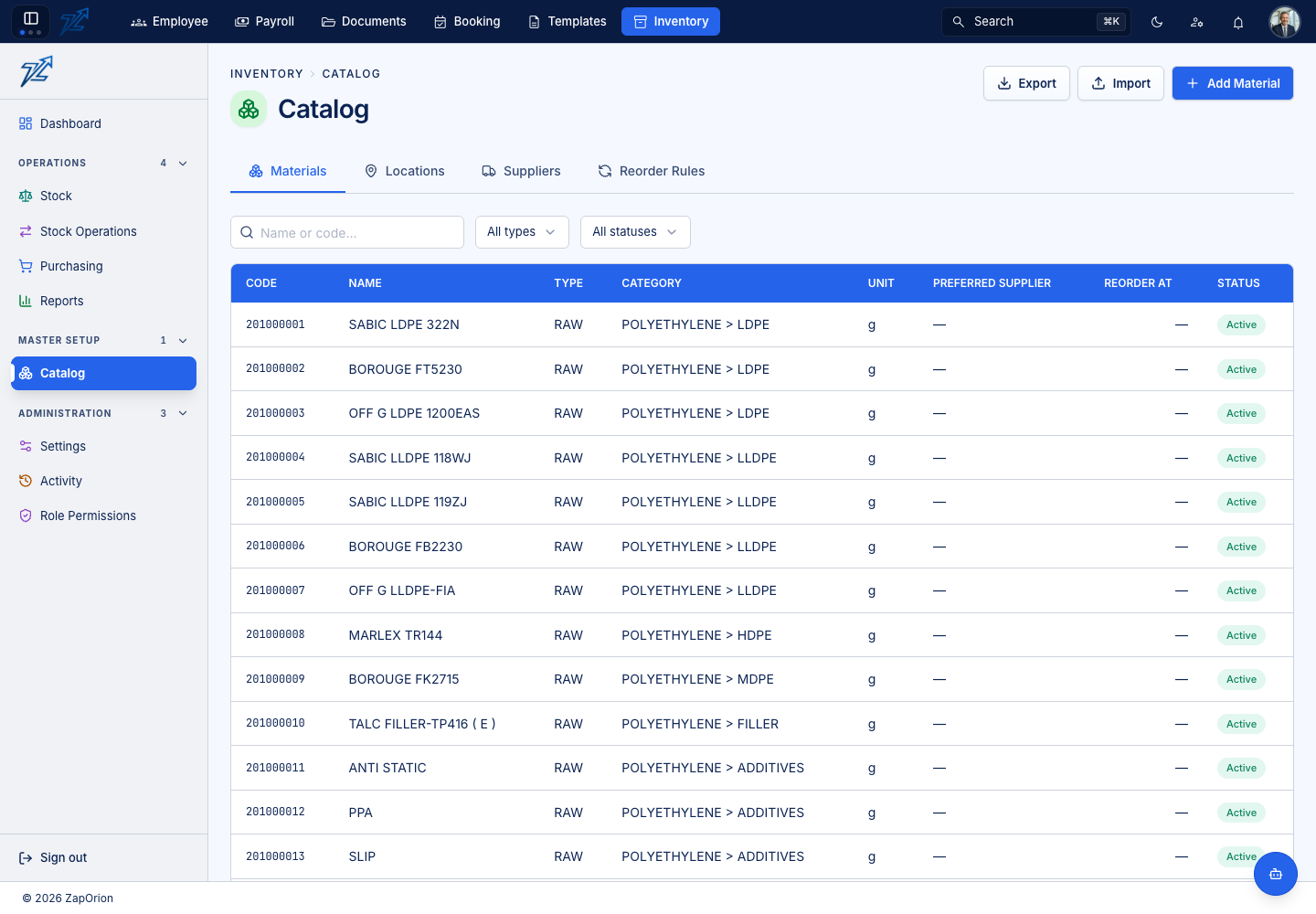
The list
Columns: Code, Name, Type (Raw, Consumable, Packaging), Category, Unit, Preferred supplier, Reorder at and Status. Filter by type and status; Export downloads the list; Import loads many materials from a spreadsheet (Importing data); Add Material opens the form.
The material form
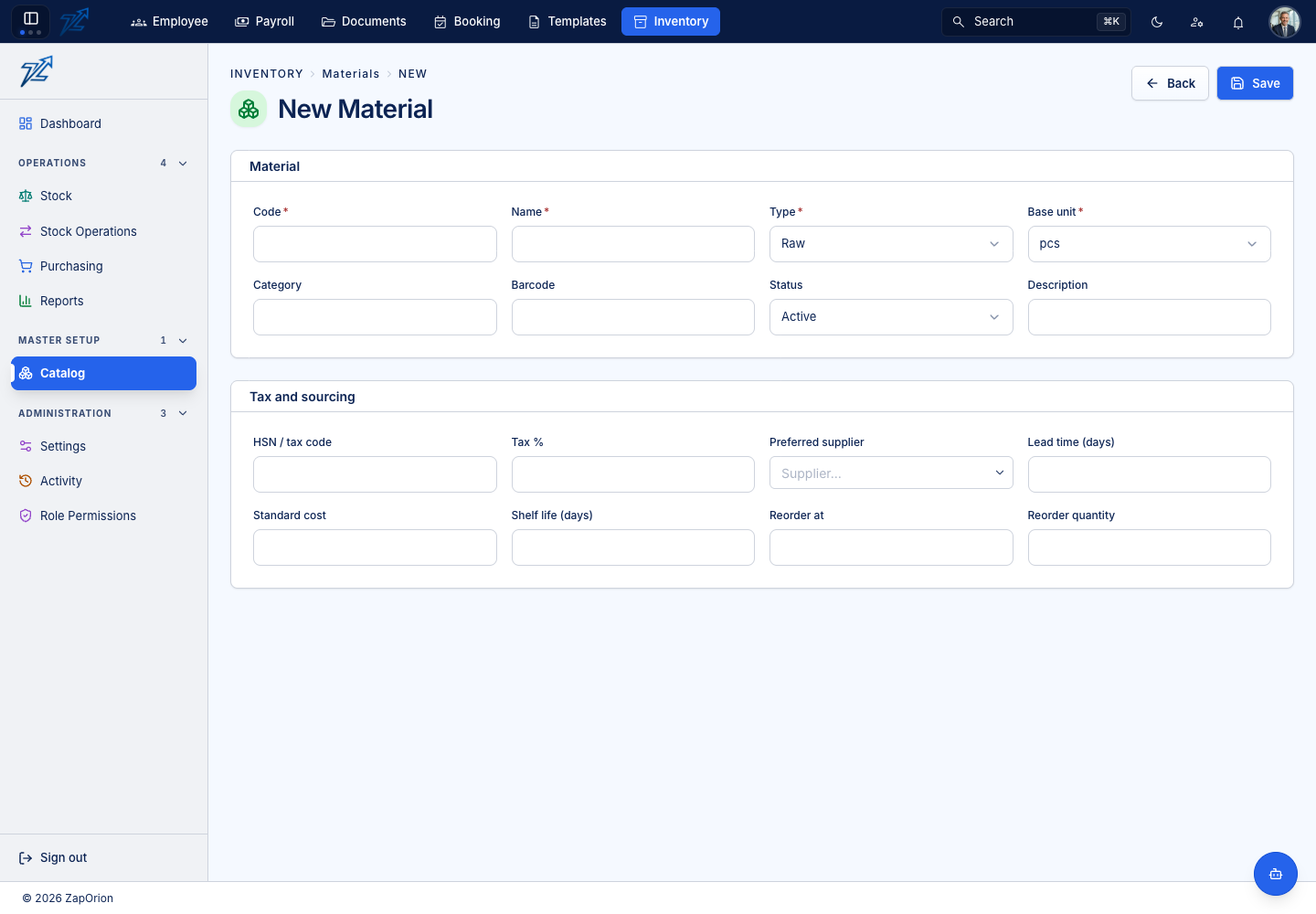
Material
| Field | Notes |
|---|---|
Code * | Unique, and fixed once saved |
Name * | |
Type * | Raw, Consumable or Packaging |
Base unit * | The unit stock is held in. Fixed once saved |
| Category | Free text; used by reports and counts |
| Barcode | For scanning |
| Status | Active or Inactive |
| Description |
Tax and sourcing — HSN / tax code, Tax %, Preferred supplier, Lead time (days), Standard cost, Shelf life (days) (used to work out batch expiry when it is not given), Reorder at and Reorder quantity.
A material's page
Open a material to see its stock (on hand, reserved, available and value, by location and batch — No stock held until the first receipt), its suppliers and price list, and its units.
Units — besides the base unit you can define purchase units with the number of base units each holds (a box of 12), Add unit, mark the one to Buy in this unit by default, Remove unit and Save units. Orders and receipts can use any of them; stock is always kept in the base unit.
Deactivating
Set Status to Inactive rather than deleting a material that has history; it stops being offered on new documents and stays in reports.