Roles and access
Access is a set of permissions granted to roles. Roles come from the identity provider; the mapping from role to permissions is edited on Administration → Role Permissions (see Role permissions). A role such as INVENTORY_ADMIN holds all of them.
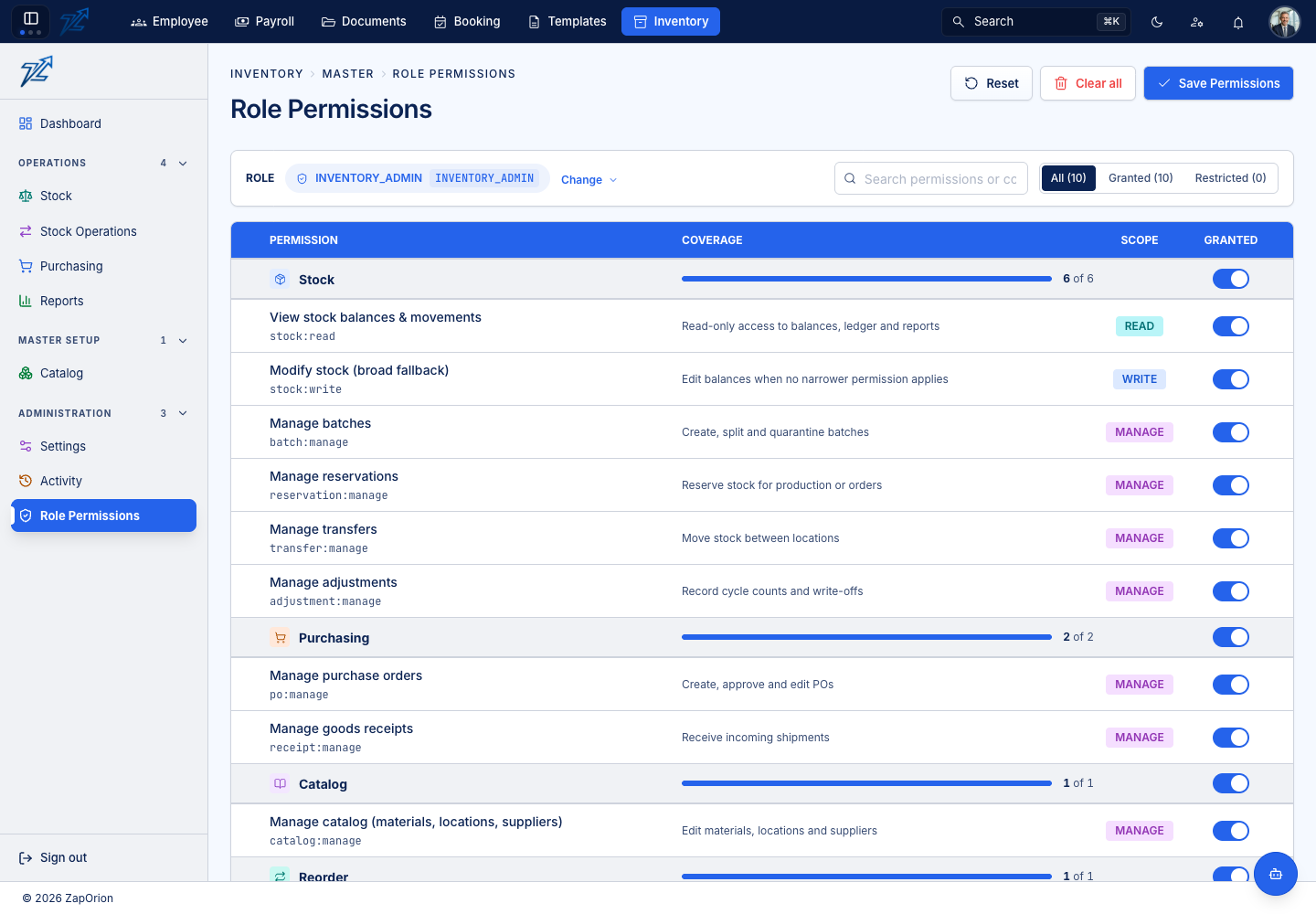
The permissions
| Permission | Lets a person |
|---|---|
stock:read | See balances, movements, reports, and the materials, locations and suppliers lists |
stock:write | Change stock where no narrower permission applies (a broad fallback — goods issues and returns also accept it) |
catalog:manage | Create and edit materials, locations and suppliers; open Role Permissions and Configuration |
batch:manage | Create, split and quarantine batches |
reservation:manage | Reserve and release stock |
issue:manage | Raise and post goods issues |
transfer:manage | Raise, dispatch and receive transfers |
adjustment:manage | Raise adjustments |
count:manage | Run stock counts |
return:manage | Raise supplier and customer returns |
po:manage | Raise and send purchase orders |
po:approve | Approve purchase orders |
receipt:manage | Raise and post goods receipts |
reorder:manage | Maintain reorder rules, see low-stock alerts and draft purchase orders from them |
inventory:admin | Settings and notifications, jobs, the outbox and the audit log |
Why your sidebar may differ from a colleague's
Each page and each tab appears when you hold any permission that page needs: for example Stock Operations appears if you can manage issues, transfers, adjustments, counts or returns, and inside it you only see the tabs you may use. A person with read access to stock but no manage permission sees balances and lists, with the buttons that would change anything absent.
Approval is separate from raising
Whoever raised a purchase order, adjustment or stock count cannot approve it themselves, unless your organisation has switched on Self-approval in Settings → Notifications. Purchase-order approval is itself optional and can apply only above a total (see Purchase orders).