Dashboard
Dashboard is the landing page of the module: how much stock you hold, what needs attention and how stock has flowed over the last 30 days.
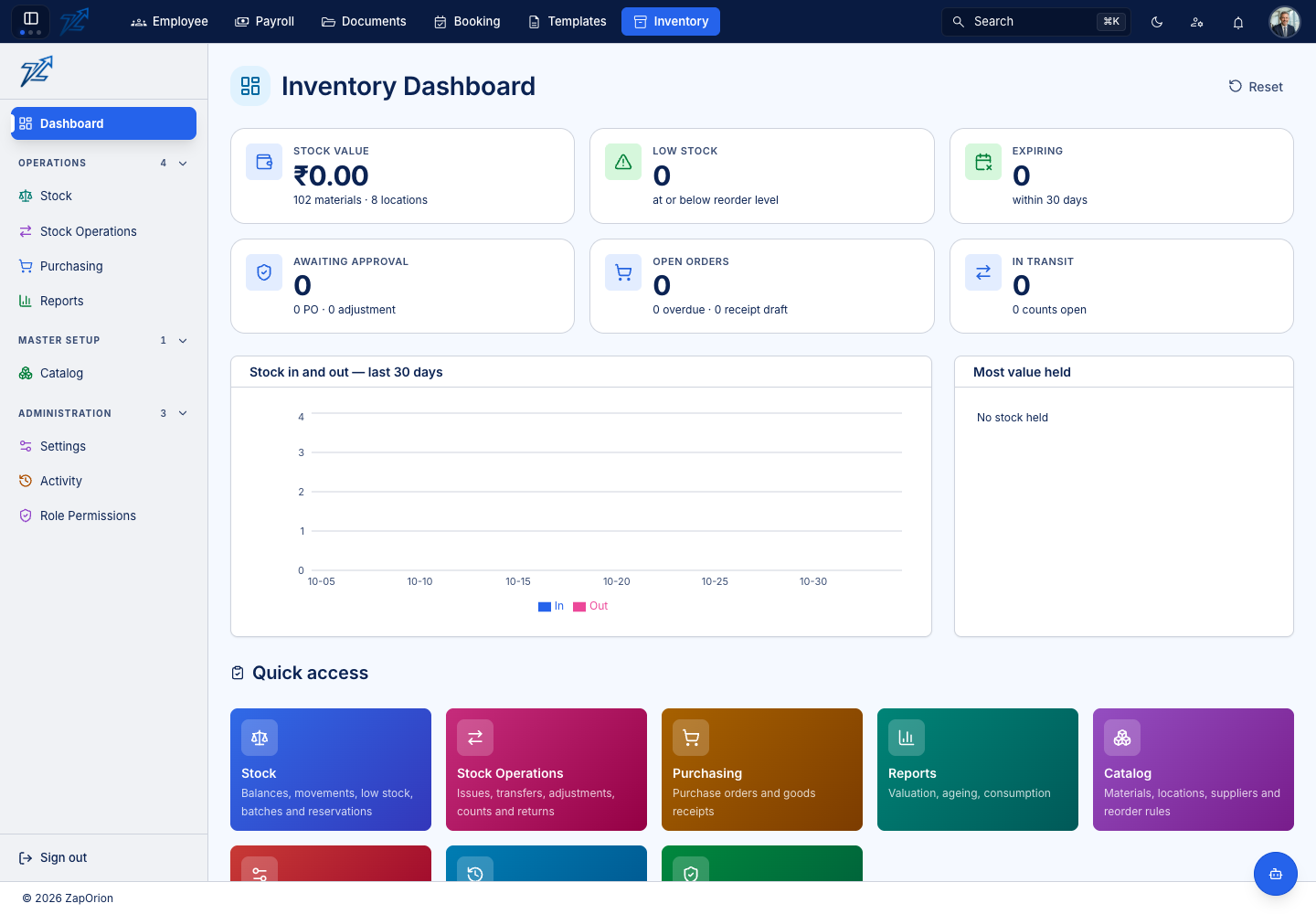
The counters
| Counter | Meaning |
|---|---|
| Stock value | The value of everything held, with the number of materials and locations behind it |
| Low stock | Materials at or below their reorder level |
| Expiring | Batches expiring within the warning window (30 days by default — see Settings) |
| Awaiting approval | Purchase orders and adjustments waiting for an approver, shown as N PO · N adjustment |
| Open orders | Purchase orders not yet fully received, with how many are overdue and how many receipts are still drafts |
| In transit | Stock dispatched on transfers but not yet received, with the number of stock counts still open |
Stock in and out — last 30 days
A chart of quantities received (in) and issued (out) day by day. Hover a point for the figures. An organisation that has not yet posted stock sees an empty chart.
Most value held
The materials holding the most value, ranked. No stock held until the first stock is posted.
Quick access
Shortcuts to the pages you can use — Stock, Stock Operations, Purchasing, Reports, Catalog and so on — each with a one-line description. Reset at the top returns the dashboard's arrangement to its default.